Recently, I bought an old Chromebook from my daughter. She has a new M4 MacBook, and the old note PC had been left untouched for a year or two. It has a broken camera, and so she asked me only 25 dollars. Nice. I wanted to try the Linux(beta) feature.
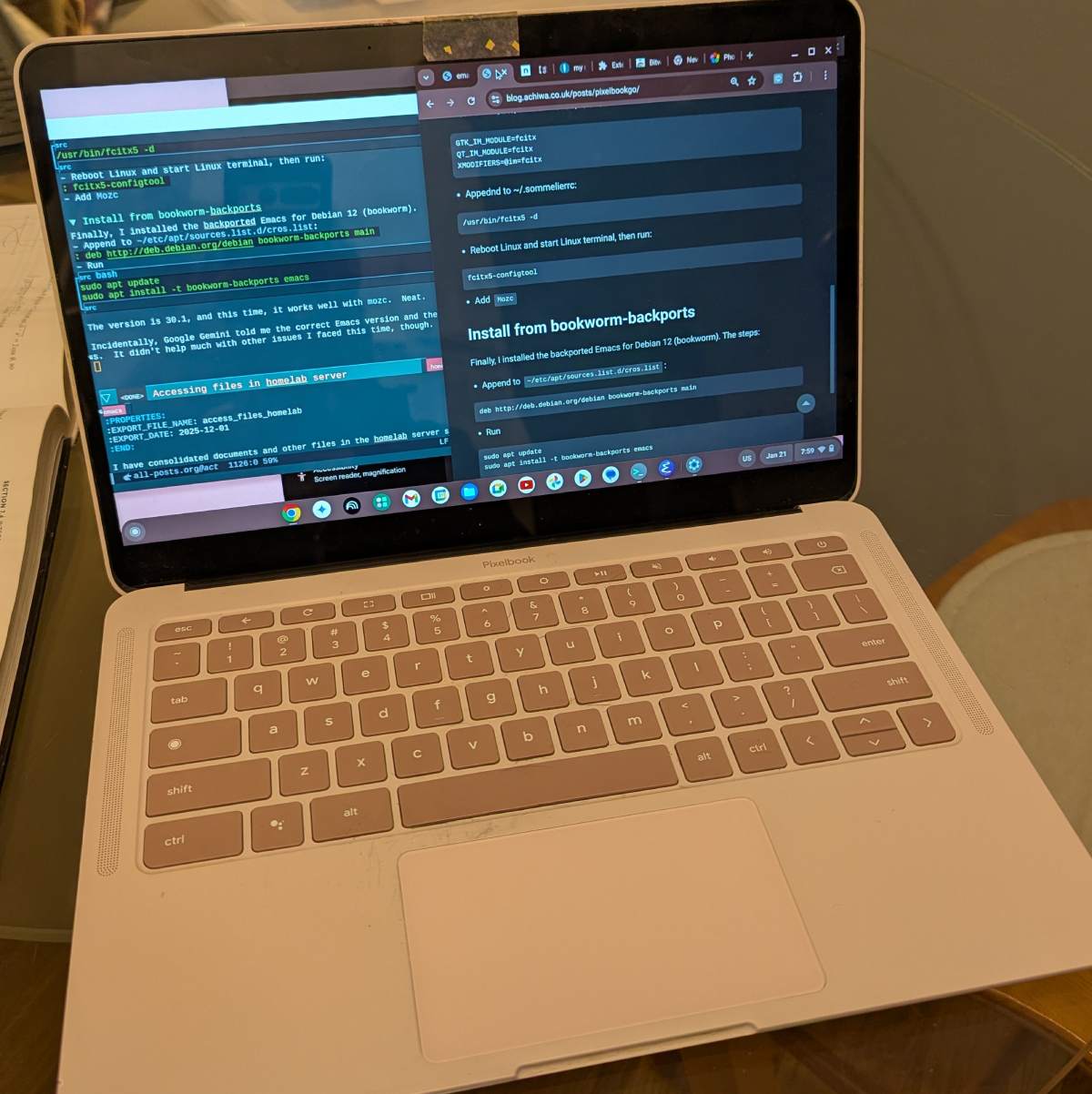
It is a Pixelbook Go “Not Pink” with Intel 8th gen Core i5 CPU, 8GB memory and 128GB SSD. Back then, I thought the $845 price tag was a little too high for a chromebook, and for her first PC. But she wanted the cute pink note PC from Google.
Personalize Pixelbook
First, I did a factory reset, and then enabled Linux (Crostini). I heard that Linux is still beta, and it runs in a container in a VM. So, I expected it to be slow or at least a little clumsy, but as it turned out, it is surprisingly good.
After apt update and apt upgrade, first thing I did was to install Emacs. When installed it via apt, the versi
on was 28.2. It didn’t sound very old, but many packages showed incompat in M-x package-list-packages listing, including vertico, org-modern and many others that I regularly use.
Install Emacs via flatpak
I tried flatpak next.
sudo flatpak install flathub org.gnu.emacs
It installed 30.1. Pretty new. But it had an issue with mozc which is a Japanese input method and which I desperately need. Of course, it did. The flatpak Emacs runs in a sandbox, and can’t communicate well with fcitx.
As Emacs is my primary tool, and as Emacs needs to interact with many things, I decided that it’s not a good idea to use flatpak Emacs if I want to avoid further troubles.
Setup mozc for Emacs
BTW, steps to setup mozc:
sudo apt install fcitx5-mozc
- sudo vim /etc/environment.d/fcitx.conf
GTK_IM_MODULE=fcitx
QT_IM_MODULE=fcitx
XMODIFIERS=@im=fcitx
- Appednd to ~/.sommelierrc:
/usr/bin/fcitx5 -d
- Reboot Linux and start Linux terminal, then run:
fcitx5-configtool
- Add
Mozc
Install Emacs from bookworm-backports
Finally, I installed the backported Emacs for Debian 12 (bookworm). The steps:
- Append to
~/etc/apt/sources.list.d/cros.list:
deb http://deb.debian.org/debian bookworm-backports main
- Run
sudo apt update
sudo apt install -t bookworm-backports emacs
The version is 30.1, and this time, it works well with mozc. Neat.
Incidentally, Google Gemini told me the correct Emacs version and the above steps. It didn’t help much with other issues I faced this time, though.
Chrome add-ons
Of course, the main browser on Chromebook is Google Chrome, which I don’t really like as Google stopped supporting uBlock Origin. I can’t use a browser without a good ad-blocker enabled.
But googling around, I found that there is a promising alternative: uBlock Origin Lite. I added it to Chrome. I also added Bitwarden and NordVPN to Chrome.
Let’s see if I can live with Chrome. If not, I might need to install Firefox or Brave on Linux.
Crop & resize images
I sometimes need to crop & resize images for blog entries. On Mac, I just use its Preview app.
I first tried gimp on Linux. It’s a very popular, free photo editor. It worked, but the sizes of jpeg images exported were much larger than those exported by Mac Preview app. I want images to be less than 200KB, but it wasn’t possible with gimp without jeopardizing image quality.
Then, I tried Photopea web app on Chrome. It was intuitive and easy. Exported file sizes were small enough. I like it. I’m going to use Photopea for this purpose.
My workflow is,
- Download a photo image from Immich app (or Google Photos)
- Upload it to Photopea, crop & export to ~/Download folder
- With Files app, copy the exported image to a Linux folder
- From Emacs, copy (rsync) it to the blog image folder on my server
How about Pixelbook Go?
I have an old MacBook Pro (2013 late) and a work MacBook Pro (M1 16 inch; 2021). Compared with them, Pixelbook Go is not bad. I can almost replace the old MacBook with the Pixelbook Go. It’s smaller and lighter. The build quality is good enough. The only drawback is the display. Compared with the old MacBook’s still beautiful retina display, fonts look blurred and everything on screen lacks sharpness.
Both Pixelbook Go and the old MacBook Pro have Intel Core i5 processors, but they are 8th and 4th gen respectively. The Pixelbook feels crispier, which might also be due to OS differences.
Emacs 30.1 on Pixelbook (on Linux) runs perfectly fine. Tramp, completion packages, org-mode, mozc Japanese input method, etc. I haven’t tried pdf-tools or eat packages, though.
Chrome browser w/ uBlock Origin Lite and Bitwarden is good. Smooth scroll is very smooth, though the behavior is a little bit different from that of Firefox on MacBook. I also need to get used to the mouse cursor movement.
The Linux is Debian-based, and not much different from Ubuntu which I’ve gotten used to these days.
Overall, PixelBook exceeds my expectations. It looks to have great potential. I personally am not a fan of Linux desktop environments such as Gnome. I like the ChromeOS UI better. If you are familiar with Linux, I’d say that you could almost use it as a Linux note PC but with better look & feel.
I was planning to buy a new MacBook to replace the old one, but with this gadget, I might delay the purchase a few more years.